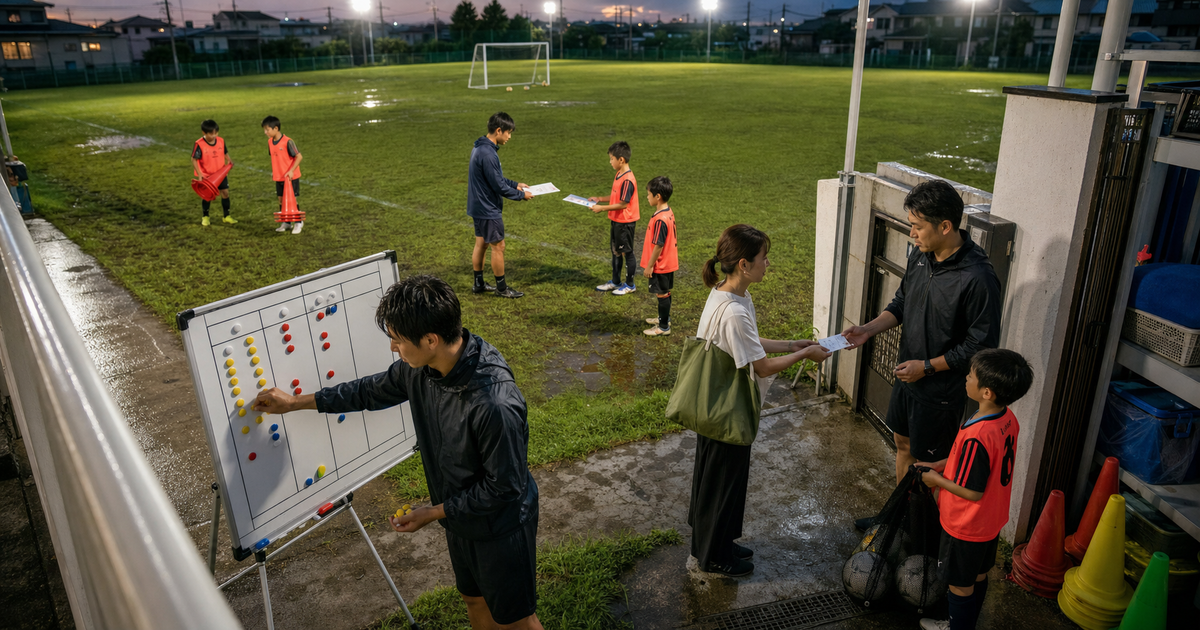
Before soccer practice, a parent messages: “My child will be absent today. Can we move the lesson to Saturday?” The instructor marks a paper roster, checks capacity in a separate timetable, replies, and writes the same name into a make-up list.
At a music school, staff email a material link again to a student who missed the previous lesson. Another parent calls to ask where the next supply list was posted, interrupting lesson preparation again.
When these moments accumulate, it is natural to wonder whether you need a dedicated school app or a practical combination of existing services.
Choosing attractive features first can leave the daily workload unchanged
“We want bookings, attendance, and materials in one place. But what if changing everything at once confuses instructors and families?”
School services may include communication, booking, absence and make-up handling, billing, materials, homework, and check-in.
Turning on all of them at once creates new places for instructors to check.
It also asks families to learn several new actions at the same time.
Do not begin with an app name.
Choose the most frequent check from one recent week, then test whether that check decreases.The short answer
If closures, supply reminders, and repeated questions take the most time, consolidate communication first.
A LINE Official Account can test targeted notices, individual questions, and links to an external booking page.
If absences and make-up coordination take the most time, test one class in a booking and attendance service.
Check whether it can represent capacity, deadlines, make-up limits, and exceptions that need staff review.
If staff repeatedly resend materials or homework, begin with a learning service that organizes content by class.
If communication, attendance, billing, and learning records must share the same student information, compare an integrated school-management service.
Consider a focused custom flow only when sibling relationships, multiple locations, or unique make-up rules do not fit standard services.
Limit the first test to one location, one class, and one task. Confirm that staff and families can see the same current information.30-second check: where should your school app start?
Answer four questions to make a provisional choice among communication, booking and attendance, material sharing, or process clarification.
The result is not a final product decision.
It is a starting point for comparing existing services or discussing a focused prototype.
30-second check
Where should your class start: communication, booking, or materials?
0/4
Answer the 4 questions first
Use parent and student messages, make-up lesson work, and repeated material sharing to choose one starting point.
When unsure, choose the answer closest to what interrupted teaching most often during the last week.
Choose one first task before choosing an app
“Make school operations easier” is too broad for a useful first comparison.
Sort one recent week of work into three groups.
- Communication: closures, supplies, questions, and individual replies
- Booking and attendance: trial bookings, absences, make-ups, capacity, and roll call
- Material sharing: lesson resources, videos, homework, submissions, and learning stage
Count how often each occurred and how many times staff rewrote it into paper or another list.
In practice, also prioritize tasks that interrupt lesson preparation or teaching in progress.
Add billing and broader student management after the first task works.
Compare representative services and a focused custom flow
This is not a ranking.
Choose by the first staff task to reduce and the action you can reasonably ask families or students to complete.
| Representative option | Best fit | Main benefit | Drawback or check | Plan or connection condition | First test |
|---|---|---|---|---|---|
| LINE Official Account | Families already use LINE and the school wants to consolidate notices, questions, and links to booking | Test broadcast notices, individual chat, and a fixed menu that links to an external booking page | Chat alone does not create a clear capacity or attendance list. Assign ownership of individual replies | Chat has conditions for starting a conversation after a user message. The fixed menu is not shown in the desktop LINE app | Test closure notices and one link to an absence form for a single class |
| STORES Reservation | The school needs trial bookings, capacity, absences, make-ups, and attendance for a defined timetable | School features cover enrolled-student make-ups, enrollment status, attendance, recurring fees, and passes | Test whether individual exceptions and sibling or location rules fit the service before changing the whole school | The official plan table limits the school booking type to specific tiers. Confirm the required booking type and contract term | Test absence, make-up, and the day-of attendance list for one class |
| Google Classroom | Instructors need to organize materials, videos, homework, and announcements by class | Organize resources by topic, post to classes or individual students, and later support submissions and feedback | It is not primarily a make-up booking system. Confirm student and guardian accounts and visibility first | Guardian summaries are the default. Direct guardian preview has edition and configuration conditions | Arrange one month of materials and homework for one class in lesson order |
| Comiru | The school wants absences, make-ups, guardian communication, billing, and student information around one student record | Guardians can find make-up availability while the school can consolidate notices and payment-related operations | Choose the first users and functions because the service covers many operations. Discuss the exact lesson model before adoption | The official FAQ separates event appointments from lesson scheduling and absence or make-up management | Test absence, make-up, and guardian confirmation for one class at one location |
| Focused custom flow | Siblings, locations, instructor review, or make-up rules do not fit a standard service without awkward workarounds | Test only the school-specific sequence from guardian request and instructor review to the attendance list | Scope grows quickly if communication, materials, billing, and check-in are added. Ongoing ownership is also required | Confirm contracts and official interfaces before passing information to LINE, payment, learning, or accounting services | Test one absence request through instructor review and final make-up and attendance updates |
What the official information tells you to check
LINE can provide a communication entrance, but it may not replace an attendance list
LINE Official Account chat supports individual communication after a user sends a message (reference).
The fixed menu can also link to an external booking page (reference).
However, a series of absence and make-up messages does not automatically show current capacity or the day’s attendees.
Even when communication moves to LINE, choose a separate source for the correct booking and attendance state.
A booking service must fit school make-up rules and the required plan
STORES Reservation describes enrolled-student make-ups, enrollment status, and attendance management for schools (reference).
Its official plan table limits the dedicated school booking type to specific plans (reference).
Separate a basic lesson booking test from a fixed-weekday enrolled-student make-up process.
Students and guardians do not necessarily see the same learning information
Google Classroom can post files, Drive items, videos, and links to classes or selected students (reference).
Guardians can receive summaries about student work.
Direct guardian preview has edition and configuration conditions (reference).
Treat “students open materials” and “guardians confirm schedules” as different actions.
Explain what “booking” means when comparing integrated school services
Comiru describes guardian-led absence and make-up handling, open-session booking, and recurring payment operations (reference).
Its official FAQ separates event appointments from lesson scheduling and make-up management (reference).
Do not ask only whether the service supports bookings.
Specify trial enrollment, weekly attendance, absences, or make-ups.
Decide booking, attendance, and materials in this order
1. Choose where instructors see the correct current state
If staff still rewrite a guardian’s absence into paper, the school has added another channel rather than removing work.
Choose one place for today’s attendance, available capacity, and pending make-ups.
2. Choose the task families or students complete themselves
Sending an absence is different from viewing capacity and finalizing a make-up session.
For materials, viewing content is different from submitting homework and receiving feedback.
3. Keep explicit staff-review exceptions
An over-capacity make-up, a different skill-level class, or an unresolved payment may need instructor review.
Do not automate every exception first.
Choose who reviews it and where the result appears.
4. Connect billing and learning records later
Add billing, passes, lesson reports, and progress records after booking and attendance are stable.
Connecting everything at once makes it hard to see which change reduced work.
Do not treat guardians, students, and instructors as one user
Several adults may be associated with one student.
One household may also have multiple children at the same school.
Separate these roles.
- Guardians manage schedule changes, absence notices, payment, and school notices
- Students open materials, submit homework, and confirm their own schedule
- Instructors confirm attendance, review make-ups, distribute materials, and write lesson reports
- School managers configure classes, change staff assignments, and handle records after withdrawal
For younger children, do not assume every student has a smartphone.
Decide whether guardian access is sufficient or whether students need their own path.
Build one flow that does not require rewriting the same update
More features do not help if staff still rewrite the final state into paper.
Use one absence to test this sequence.
- A guardian selects the student and absence date
- The school sees the absence in the day-of attendance list
- When allowed, the guardian chooses an available make-up session
- An exceptional request waits with its reason for instructor review
- The guardian and assigned instructor see the same confirmed session
Check whether this single exchange can avoid moving among paper, messaging, and separate lists.
Success means one confirmed current state, not merely that a notification was sent.Decide why you need student and guardian information before collecting it
Names, contact details, attendance, learning progress, and payment state can all support school operations.
That does not mean the first test needs all of them.
Japan’s Personal Information Protection Commission provides guidance on rules and ownership across collection, use, storage, sharing, and deletion (reference).
Check the following when comparing services.
- The school can explain why it uses each item of guardian or student information
- Instructor access can be limited by assigned students and necessary information
- The school has an owner and timing for handling records after withdrawal
- Access can be removed when an instructor leaves or changes responsibility
- Photos, videos, and learning records can be limited to the intended audience
This depends on school operations as well as the service’s security features.
Five signs that a focused custom flow may help
After comparing existing services, consider a small custom flow when one of these conditions remains.
1. Household and guardian relationships are complex
One guardian account must handle multiple students and locations while notification recipients vary.
2. Make-up eligibility differs by class
The system must combine limits, deadlines, skill level, instructor, and location before showing a valid session.
3. Attendance changes the next learning material
The next resource or homework depends on lessons attended or a student’s progress.
4. Staff re-enter the same student information across services
Names and classes are copied into booking, billing, learning, and accounting tools, creating missed updates.
5. Instructor review follows a school-specific order
A guardian request must pass through an assigned instructor, location manager, or headquarters before confirmation.
Do not build all five at once.
Test the most frequent single task.
Define the first scope as one class and one week
Separate the first test from later expansion.
| Decision area | Include in the first test | Consider later |
|---|---|---|
| Scope | One location, one class, and one week of lessons | All locations, courses, seasonal programs, and events |
| Users | One guardian, one instructor, and one school manager | Siblings, headquarters, external instructors, and multiple recipients |
| Task | Either absence and make-up confirmation or material sharing | Billing, check-in, grades, instructor scheduling, and accounting connections |
| Success | Calls and re-entry decrease while everyone sees the same current state | Full automation, detailed reporting, and management analysis |
Five preparations before consultation
1. Collect one week of real work
Collect phone, messaging, email, paper attendance, make-up lists, and material-sharing records.
Hide personal details while keeping the type of task understandable.
2. Count occurrences and re-entry points
Count how many absence notices arrived and how many places staff rewrote them.
You do not need an exact annual report.
3. Separate guardian, student, and instructor actions
Write who enters a request, who reviews it, and who receives the outcome.
4. Separate stable rules from exceptions
List definable rules such as make-up deadlines and capacity, then list exceptions that need instructor judgment.
5. Test a real class in an existing service
Do not decide from a feature sheet alone.
Use one absence or one lesson’s materials and check whether staff can stop rewriting the result.
School app starting-point checklist
Select only the items you can answer now.
Any item you cannot select becomes a service-comparison or consultation topic.
Copyable consultation note
Use this note even if you have not chosen among communication, booking and attendance, and material sharing.
Write “confirm during consultation” for any unknown item.
Copy a school app consultation note
Use this note before choosing among communication, booking and attendance, and material sharing. Write “confirm during consultation” for unknown items.
What we want to discuss about operating our class or school:

Type of school:
Example: youth soccer school for elementary students

First location and class:
Example: main location, Saturday 10:00 class, capacity 12

People involved:
Example: guardians, students, assigned instructor, school manager

Current communication channels:
Example: absences by messaging, closures by email, urgent issues by phone

Current booking and attendance records:
Example: staff compare a paper roster with a separate make-up list

Current material sharing:
Example: staff send practice videos and worksheet links individually after lessons

Most frequent work during the last week:
Example: 8 absences, 5 make-up arrangements, 4 material resends

Task that interrupted instructors most:
Example: finding open capacity before class and replying with make-up options

What guardians should complete themselves:
Example: select an absence date and review available make-up sessions

What students should complete themselves:
Example: open the practice video and homework for their class

What instructors review:
Example: skill-level fit and whether the make-up class exceeds capacity

What the school manager reviews:
Example: exceptional make-ups, instructor changes, and records after withdrawal

Stable rules:
Example: notify by the previous day, up to two make-ups per month, same-level classes only

Exceptions that need judgment:
Example: siblings attending together or make-ups across multiple locations

Places where staff rewrite the same update:
Example: messaging, paper roster, make-up list, and instructor communication notebook

First task to test:
Example: one class from absence request through confirmed make-up

Items that may remain outside the first test:
Example: billing, check-in, grades, instructor scheduling, and accounting connections

What we confirmed in existing services:
Example: absence and make-up are supported, but sibling and multi-location rules need discussion

Information and access questions:
Example: which students instructors can view, records after withdrawal, and access removal after assignment changes

What we want to decide:
Example: which area to start with and which gap, if any, needs a focused custom flow

Examples we can share:
Example: anonymized messages, paper roster, make-up list, material directions, current timetable
Your next step
Collect three tasks that took the most instructor time during one recent week.
For each task, write who sent it, where staff rewrote it, and who reviewed it.
Use this sentence for the first consultation:
Further reading
- LY Corporation, LINE for Business, LINE Official Account chat (Japanese). Reviewed chat-start conditions, conversation lists, and user information. Updated June 23, 2026. Accessed August 1, 2026.
- LY Corporation, LINE for Business, Create a rich menu (Japanese). Reviewed links to external booking pages and desktop LINE display limitations. Updated July 29, 2025. Accessed August 1, 2026.
- STORES, STORES Reservation, Reservation system for schools and classes (Japanese). Reviewed enrolled-student make-ups, enrollment status, attendance, recurring fees, and passes. No publication or update date shown. Accessed August 1, 2026.
- STORES, STORES Reservation, Plans and pricing (Japanese). Reviewed plans that support the school booking type, booking formats, and contract terms. No publication or update date shown. Accessed August 1, 2026.
- Google, Classroom Help, Add materials to the Classwork page. Reviewed files, Drive items, videos, links, and class- or student-specific posting. No publication or update date shown. Accessed August 1, 2026.
- Google, Classroom Help, Guardian email summaries and preview FAQ. Reviewed guardian summaries, direct visibility, and edition conditions. No publication or update date shown. Accessed August 1, 2026.
- Comiru, Management system for schools and classes (Japanese). Reviewed guardian-led absence and make-up handling, open-session booking, and payment operations. No publication or update date shown. Accessed August 1, 2026.
- Comiru, Frequently asked questions (Japanese). Reviewed the distinction between event appointments and lesson scheduling, absence, and make-up functions. No publication or update date shown. Accessed August 1, 2026.
- Personal Information Protection Commission, Japan, Guidelines under the Act on the Protection of Personal Information: General Rules and Laws and Guidelines (Japanese). Reviewed data-handling rules, ownership, and security measures. The legal-guidance index lists a comparison effective April 1, 2026. Accessed August 1, 2026.